Two serious flaws in PHP were fixed on Wednesday 21 October. PHP runs WordPress and a lot of small business websites. Here's what it means for yours, what you can check today, and how I can help if you'd rather hand it over.
Written by Olly Gore, Goreblimey, Cheltenham. Correct at 10.20pm on Sunday 25 October 2026, and updated as news comes in. Get updates by email.
PHP version8.3.36up to date · exampleHost confirmed
# goreblimey.com/php2shell
The flaw
What
Two flaws in PHP, the language behind WordPress and a lot of small business websites
Name
PHP2Shell: CVE-2026-109618 and CVE-2026-109619
The risk
Someone can run their own code on your web server, with no password
Rating
Critical: 9.2 out of 10 on PHP's own score (CVSS v4)
Fixed in
PHP 8.5.12, 8.4.27, 8.3.36 and 8.2.35
Fixed on
Wednesday 21 October 2026
PHP 8.1 and older
No new release. PHP's patches have to be built by hand, and some hosts have applied them. Ask yours, or upgrade
Being used?
Yes. Amazon said on 21 October it was seeing broad attempts to use them
Correct at
10.20pm on Sunday 25 October 2026
What is known
Found
17 October: Amazon saw an attempt
Request shape
a crafted request that sets the session upload progress header; no working example is shown here
Check today
Find your PHP version
Compare it
Ask your host, in writing
Take a backup
Look for signs
Change passwords after the fix
Signs someone is in
Admin users, plugins or themes you didn't add
PHP files in your uploads folder
Files changed when nobody touched them
New scheduled tasks
Spam pages on Google, or visitors sent elsewhere
Warnings from your host, Google or a browser
Odd errors in the server logs
Who it is for
WordPress on shared hosting
Check today
Built years ago, not touched since
Urgent
Your own server
Urgent
An online shop
Check today
A booking system, members' area or intranet
Check
A warning from your host, or something looks odd
Get help
Wix, Squarespace or Shopify
Nothing to do
No idea what it runs on
Start here
What's happened
What's happened
PHP is the programming language that runs WordPress, Drupal and Joomla, plus a lot of online shops, booking systems and older custom-built sites. If you log in to your website at /wp-admin, it runs on PHP.
Two flaws in PHP itself let someone send a specially made request to a website and run their own code on the server, without logging in. That's as serious as it gets. Code on your server can change your pages, hide a back door, send spam or read customer details.
Security researchers at Calif, OpenAI and Wiz, among others, found the flaws and reported them to PHP privately. Cloudflare says they leaked before the planned release date, and PHP released its fix on Wednesday 21 October.
Amazon's threat intelligence team saw an attempt to use the flaws on 17 October, before anything was public. On 21 October it said it was seeing broad attempts to use them in the wild, and that anyone checking for a break-in should look back to 17 October. No confirmed break-ins have been published yet. The UK's National Cyber Security Centre (NCSC) is telling organisations to update, to look for back doors if they can't update straight away, and to consider taking a system offline if they can't protect it quickly.
The short version
What
Two flaws in PHP, the language behind WordPress and a lot of small business websites
Name
PHP2Shell: CVE-2026-109618 and CVE-2026-109619
The risk
Someone can run their own code on your web server, with no password
Rating
Critical: 9.2 out of 10 on PHP's own score (CVSS v4)
Fixed in
PHP 8.5.12, 8.4.27, 8.3.36 and 8.2.35
Fixed on
Wednesday 21 October 2026
PHP 8.1 and older
No new release. PHP's patches have to be built by hand, and some hosts have applied them. Ask yours, or upgrade
Being used?
Yes. Amazon said on 21 October it was seeing broad attempts to use them
Correct at
10.20pm on Sunday 25 October 2026
Staying up to date
This page is updated as news comes in
PHP2Shell is still moving. Hosts are rolling out the fix, and the advice may change. I'll update this page as news comes in. Leave your email and I'll let you know when something changes what you should do.
Sun 25 Oct, 10.20pmChecked again. Nothing changes what you should do. One correction: Amazon's words on 21 October were broad attempts to use the flaws, not confirmed break-ins, and no confirmed break-in has been published since. Attempts are still being reported, including ones trying to install the Mirai botnet, and CISA still lists neither flaw as known to be exploited. No new PHP release.
Sun 25 Oct, 10amChecked again. Nothing changes what you should do. On 23 October PHP warned about a separate flaw, CVE-2026-115560, which the 21 October fix doesn't cover. It needs an unusual set-up to work, which PHP says is unlikely, so it's waiting for PHP's next normal release. Until then PHP suggests turning off a setting called session upload progress, which is a job for your host or developer. Two big hosts, 20i and IONOS, now say every PHP version on their managed hosting is patched, older ones included.
Thu 22 Oct, 5.30pmChecked again. Nothing changes what you should do. People have started posting code online that they say uses the flaws, so if your site isn't on a fixed version yet, don't leave it.
Thu 22 Oct, 1pmPublished. Facts checked against PHP, the NCSC, CISA, Amazon, Cloudflare, Wiz, Calif and WordPress.org.
I'll stop when the story does, and you can reply "stop" to any update to come off the list sooner. Privacy policy.
Fig. 1
123
What you're looking at
Patched isn't the same as clean
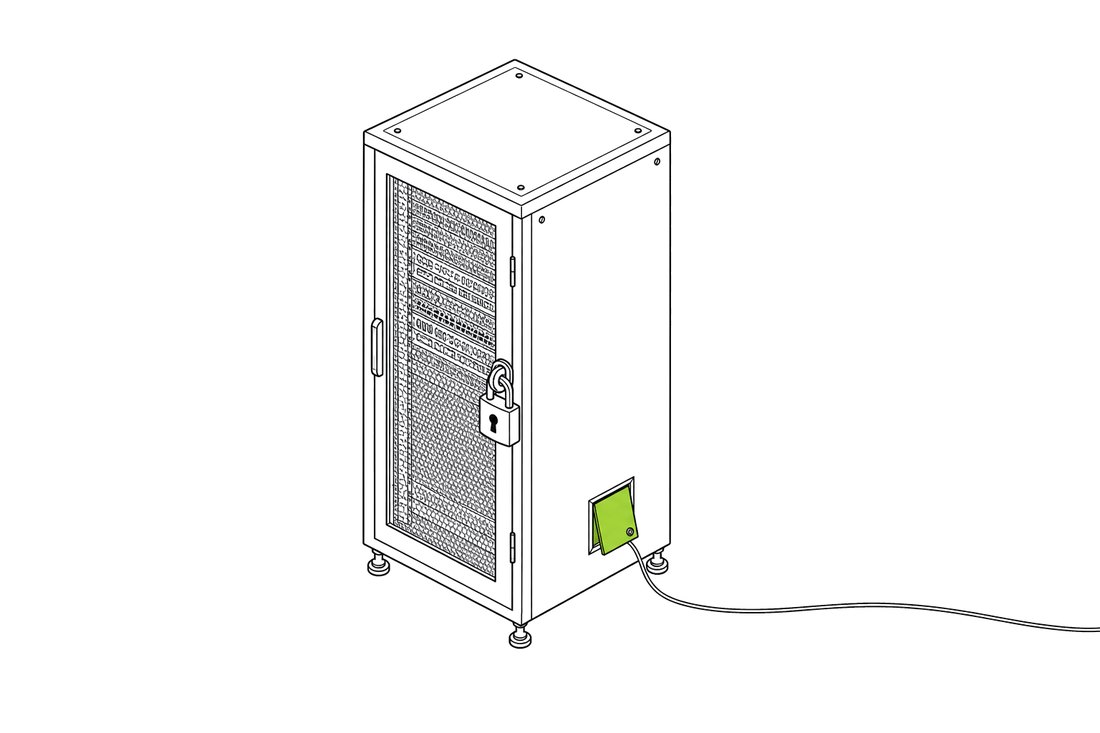
Updating PHP stops anyone new getting in this way. It doesn't remove anything that got in before the update. If someone used the flaw first, they may have left a file or a login behind so they can come back whatever you patch. So a proper fix is two jobs: update PHP, then check nothing's been left behind.
1The new lock: PHP updated to a fixed version
2A back door someone made before the lock went on
3Their way back in, whatever the lock
Does this affect you?
Does this affect you?
Find the one that sounds like you.
01Check todayWordPress on shared hosting
Your host runs PHP for you, so updating it is their job. 20i and IONOS say they've finished. Check yours has, then check nothing got in before they did.
02UrgentBuilt years ago, not touched since
Older sites often run older PHP. On 8.1 or earlier there's no new PHP release, only patches that have to be built by hand. Some hosts have applied them. If yours hasn't, that's the case I'd worry about most.
03UrgentYour own server
A VPS or cloud server that you or a previous developer set up. Nobody updates PHP on it unless you do. Do it today, or ask whoever set it up.
04Check todayAn online shop
WooCommerce, Magento, PrestaShop, OpenCart and most other shop software run on PHP. Same fix, higher stakes: orders and customer details. Look closely at your checkout pages too.
05CheckA booking system, members' area or intranet
If someone built it for you, there's a good chance it's PHP. Ask them which version it runs and whether it's been updated.
06Get helpA warning from your host, or something looks odd
Don't just update and move on. Take a backup and note what you've seen, then get it updated and checked for back doors.
07Nothing to doWix, Squarespace or Shopify
You don't run PHP yourself, so there's nothing for you to update. The platform looks after its own servers.
08Start hereNo idea what it runs on
Most people don't know, and that's fine. Check 1 below tells you in a couple of minutes, or send me the address and I'll find out.
What to check
What to check today
Six checks you can do yourself, in this order. If any of it feels like too much, send it my way.
1Find your PHP version
In WordPress, go to Tools, then Site Health, then Info, and open Server. It lists the PHP version. In a hosting control panel such as cPanel, look for Select PHP Version or MultiPHP Manager. Or ask your host.
2Compare it
The fixed versions are 8.5.12, 8.4.27, 8.3.36 and 8.2.35. Match the first two numbers: on 8.3 you need 8.3.36 or higher, on 8.4 you need 8.4.27 or higher, and so on. Some hosts add the fix without changing the number, so if yours looks lower, ask before you panic. On 8.1 or older there's no new release, so ask your host whether they've applied PHP's patches.
3Ask your host, in writing
Send the message below from your hosting account, so the answer's on record.
4Take a backup
Before anyone changes anything. Use your host's backup tool or a backup plugin, then download a copy so it isn't only on the same server.
5Look for signs
Go through the list below. Most take a few minutes. The file-date and log checks are easier for your host or developer.
6Change passwords after the fix
Your hosting account, FTP or SFTP, and WordPress admins. Leave the database password to your host or developer, because WordPress needs it changing in its settings file too, or the site stops working. Turn on two-step login where you can. Do it after the fix, not before, or someone already inside could pick up the new ones too.
For check 3
A message for your host
Copy this into your host's support form or email. Put your own web address in.
Hello, could you confirm whether the PHP running my website, [your web address], has been updated for CVE-2026-109618 and CVE-2026-109619 (PHP2Shell)? If it hasn't, when will it be? And which PHP version is my site using? Thanks.
Signs someone's in
Signs someone's already in
Admin users, plugins or themes you didn't addIn WordPress, check Users (click Administrator above the list), Plugins and Themes. Dull, official-sounding names are a favourite.
PHP files in your uploads folderwp-content/uploads should only hold images and documents. A .php file in there is a common back door.
Files changed when nobody touched themSort by date in your host's file manager. Amazon suggests looking back to 17 October.
New scheduled tasksCron Jobs in your hosting control panel: anything you don't recognise.
Spam pages on Google, or visitors sent elsewhereSearch site:yourbusiness.co.uk (no space after the colon). Pages in other languages, or selling pills or betting, mean someone's in. Some hacks only show to visitors, often on phones, not to you logged in.
Warnings from your host, Google or a browserA suspended account, a malware or spam email from your host, or a Security issues report in Search Console.
Odd errors in the server logsOne for your host or developer: lots of 500 or out-of-memory errors since 17 October, or requests mentioning PHP_SESSION_UPLOAD_PROGRESS.
Found something? Don't start deleting. Take a backup first and get help. What's been left behind shows how they got in, and what else to check.
Fig. 2
How I can help
Rather hand it over?
I've built and looked after PHP and WordPress sites since 2011. If you'd rather hand this over, this is what I do.
Price
Agreed with you before I start
First look
From your web address. No logins needed
Access
Your own login for me, which you remove afterwards. Never send passwords by email
Old PHP
I'll tell you straight whether an upgrade will do or a rebuild makes more sense, with a price for each
Where
Cheltenham, and online anywhere in the UK
Reply
Straight away, while this is going on
What I do
1First lookSend me your web address. I'll find out what it runs on and who hosts it, and tell you whether you're affected.
2FixI update PHP, or get your host to, and check the site still works afterwards.
3CheckI look for back doors: odd files, new admin users, scheduled tasks and recent changes.
4Lock downNew passwords, two-step login, a backup off the server, and Cloudflare's free protection where it suits.
5ReportA short report in plain English: what I found, what I did and anything still to do.
The name for two flaws in PHP, CVE-2026-109618 and CVE-2026-109619. One is in how PHP copes with running out of memory partway through a request. The other lets leftovers from one request be reused by the next. Either can let someone run their own code on the server without logging in. PHP fixed both on 21 October 2026, in versions 8.5.12, 8.4.27, 8.3.36 and 8.2.35.
WordPress runs on PHP, so it depends on the PHP version underneath it rather than WordPress itself. WordPress.org says no WordPress update is needed: the fix is in PHP. If your host hasn't updated PHP to a fixed version, your site is exposed. Researchers at Wiz showed the flaws working against WordPress, Drupal and Joomla.
20i and IONOS say every PHP version on their managed hosting is patched, including the old ones. Other hosts have posted updates on their status pages. Check yours, or ask them with the message above.
Partly. Cloudflare added rules for these flaws on 21 October, on every plan including the free one. That only helps if your site's traffic goes through Cloudflare, and Cloudflare still says to update PHP.
From new attempts through these flaws, yes. But the update doesn't undo anything that happened before it. If your site was exposed before your host updated, it's worth checking for back doors.
No. You don't run PHP yourself, so there's nothing for you to update. If you have another site somewhere else, such as an old WordPress blog, check that one.
In WordPress, go to Tools, then Site Health, then Info, and open Server. In a hosting control panel such as cPanel, look for Select PHP Version or MultiPHP Manager. If you can't find it, ask your host, or send me the address.
PHP 8.1 and older no longer get new releases. PHP has published patches for 7.4, 8.0 and 8.1 as source code, which someone has to build and install by hand. There are none for anything older than 7.4, so on those it's an upgrade. Some hosts have done that for their customers, so ask yours. The longer-term route is moving to PHP 8.3 or newer, because 8.2 stops getting security fixes on 31 December 2026. That can break old themes and plugins, so it needs testing first. PHP has listed temporary setting changes for anyone who can't update yet, but it says they don't make a site safe.
Start with the signs above: admin users you don't know, PHP files in the uploads folder, files changed for no reason, new scheduled tasks and spam pages on Google. A site can look fine and still have a back door, which is why a proper check matters.
The NCSC says that if you can't apply the temporary protections, or they'd take too long, you should consider taking the system offline until it's fixed. If your site holds customer details or takes payments and can't be updated quickly, a day or two offline is safer than leaving it up.
Not for the first look. If I need access, I'll ask you to set up a login of my own, so you can remove it afterwards. Please don't send passwords by email.
It depends on the site and what I find. I'll tell you the price before I start, and if your site needs an upgrade or a rebuild, I'll price that separately so you can decide.
Sources
14 sources, from PHP, NCSC, Amazon Web Services, CISA and 7 more


 123